
What is VAMREG?
From 2026, veterinary depots are required to declare antibiotic use for horses and aquaculture (fish) to the FAMHP (Federal Agency for Medicines and Health Products) four times per year via the VAMREG platform. This is a requirement under European Union legislation (Regulation EU 2021/578).
This feature is only available for Belgian depots.
Note: the start date for mandatory declaration has been postponed to 1 July 2026. Declarations for Q1 and Q2 2026 are not required.
1. Configure settings
1.1 Activate FAGG (VAMREG)
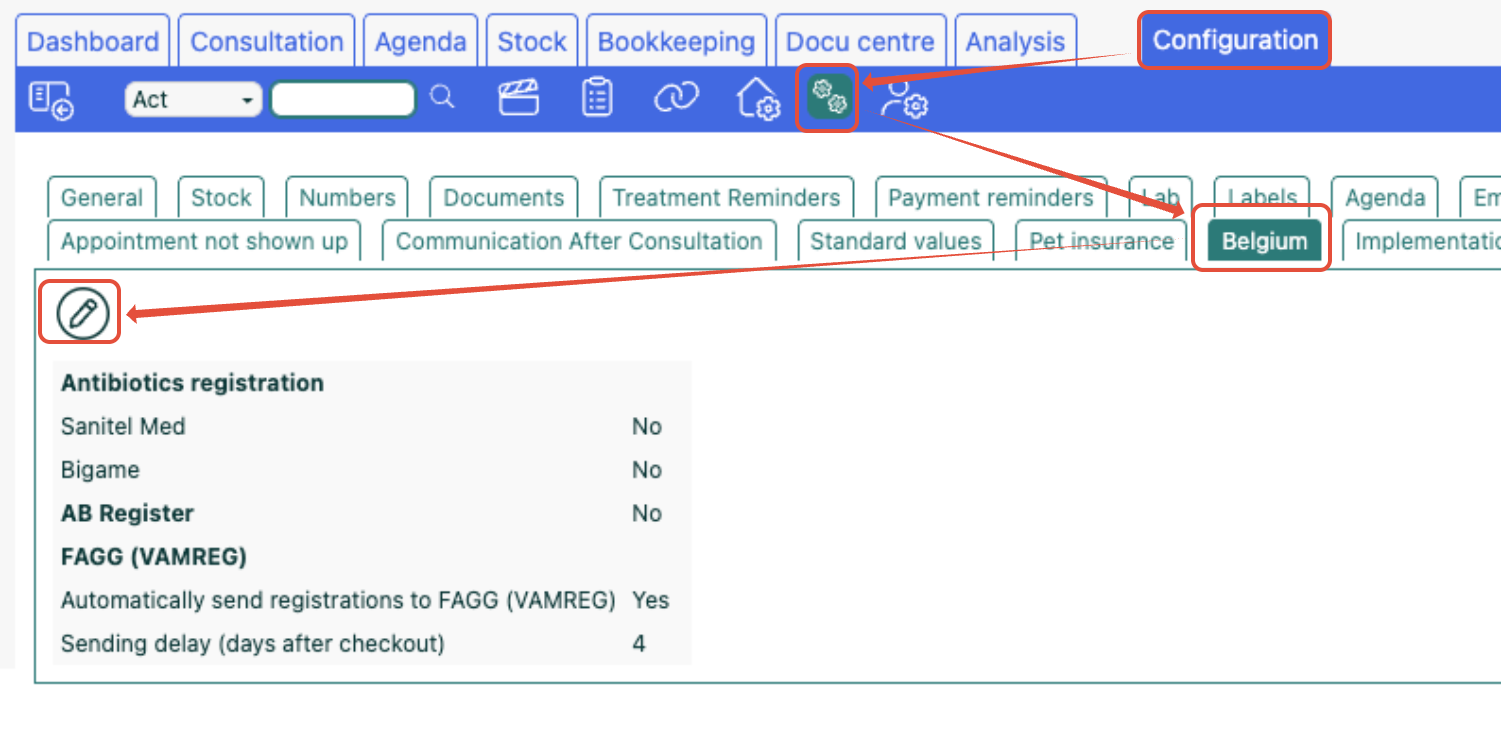
When the Belgium region is ticked, a Belgium tab appears in the practice preferences. Go to Settings => Practice preferences => Belgium.
- Click the pencil icon
- Under the Antibiotics registration section, the FAGG (VAMREG) checkbox must be ticked.
- Please note: as soon as this checkbox is enabled, registrations are created for VAMREG reporting.
- If you have not done so yourself, Sonetas will enable this checkbox for all customers with a Belgian depot on the evening of 30/6.
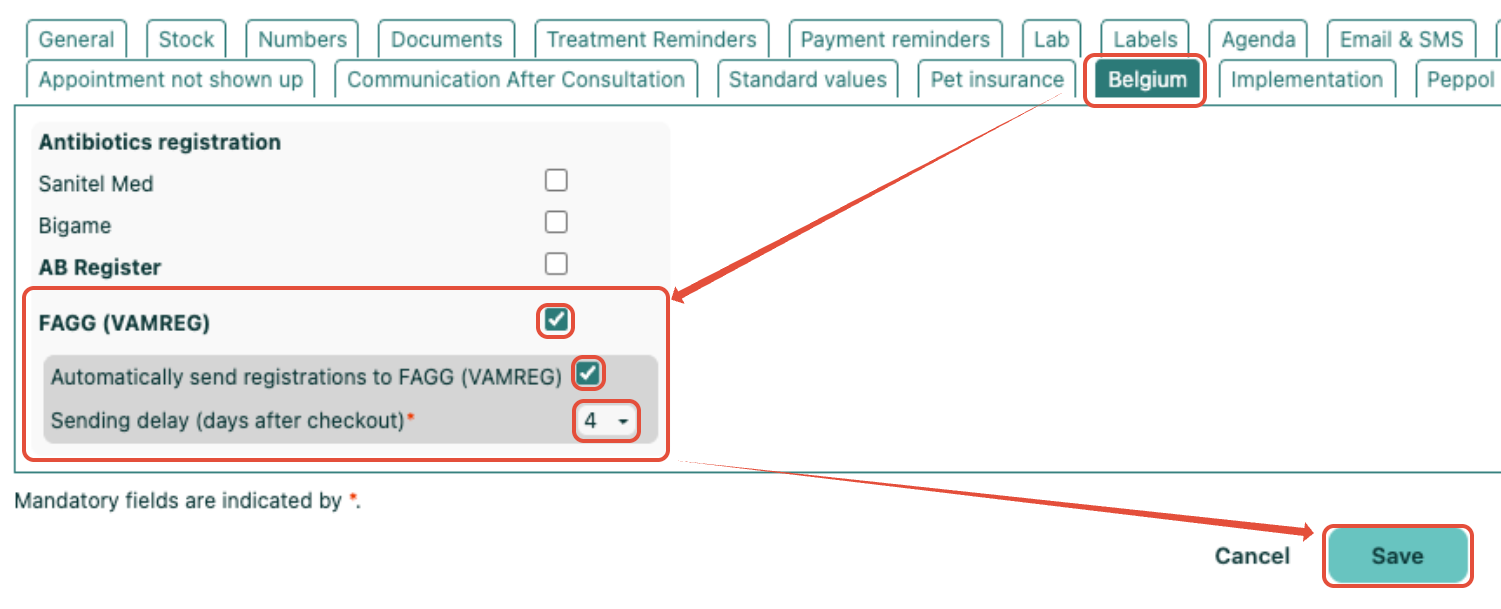
- Optional: tick Automatically send registrations to FAGG (VAMREG) if you want Fuga to send the declarations automatically. (More info in section 3.2).
1.2 Set API key per depot
When FAGG (VAMREG) is ticked, two new fields appear for each depot (Settings => Practice details => Locations => edit depot):
- FAGG (VAMREG) production API key — to connect to the VAMREG production platform
- FAGG (VAMREG) test API key — to connect to the test environment
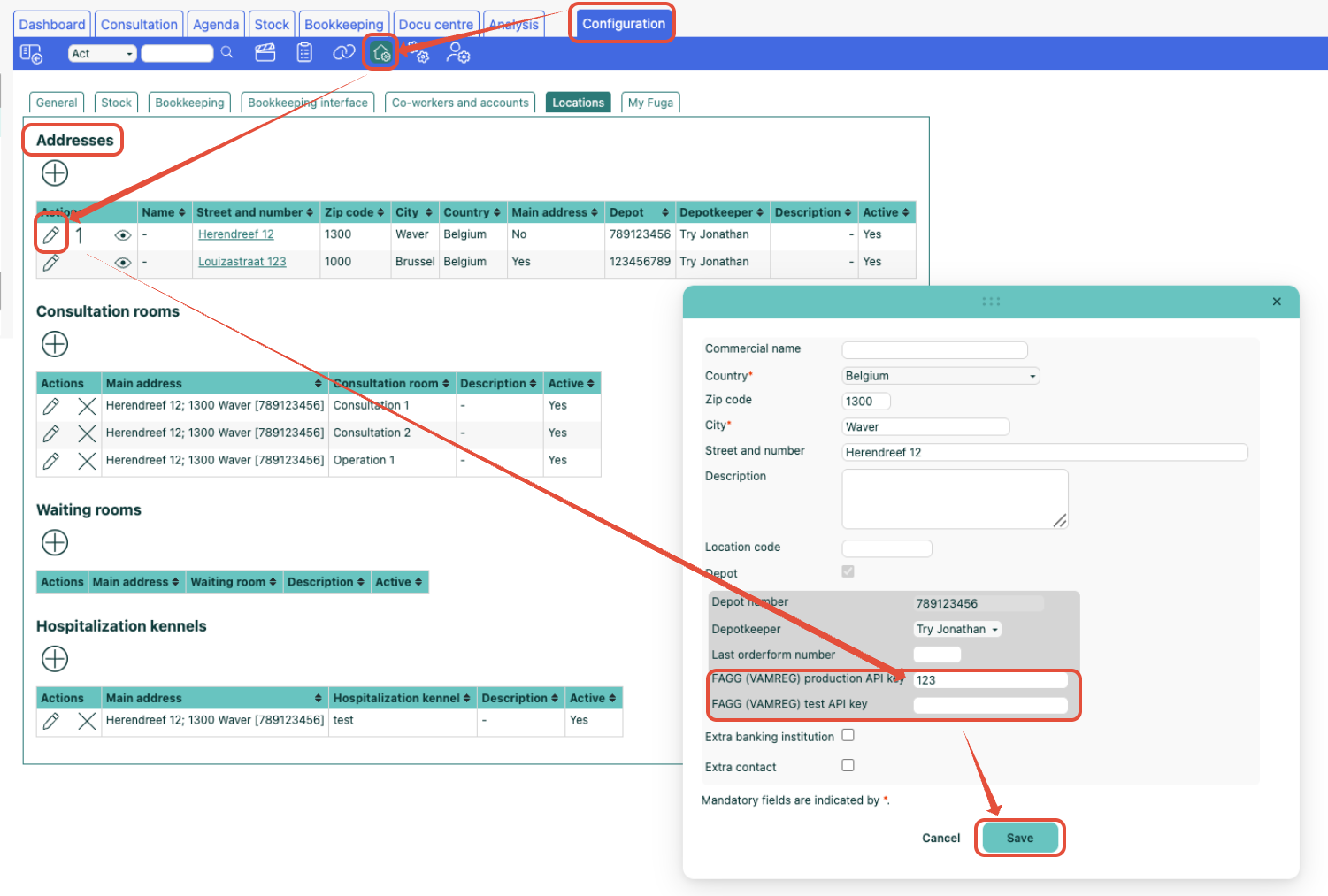
Only an administrator can fill in these fields.
Only consumption from depots for which an API key is configured is sent to VAMREG!
Virtual depots: a virtual depot can only have one API key. Fuga assumes the virtual depot always uses products from one and the same official depot. If this is not the case, create multiple virtual depots:
- Virtual depot A with products from depot 1 (with the same API key as depot 1)
- Virtual depot B with products from depot 2 (with the same API key as depot 2)
2. Which products are declared?
Fuga automatically creates a VAMREG reporting record when a sale or consultation is locked and all of the following conditions are met:
- The animal is a horse or a food-producing fish (see supported species below)
- The product is consumed from a Belgian depot
- The product has antibiotics = yes and has a CNK code or an MA number (Fuga does not validate the MA number)
- The number of outgoing units is greater than 0
Supported species
Fuga only declares for the species made mandatory by the FAMHP. From 1/7/26 these are horses and food-producing fish species, distinguishing between:
- Atlantic salmon and other salmonids
- Gilthead sea bream
- Rainbow trout
- Other fish species
Product type determination
Fuga automatically determines the product type based on the product data:
- BE (Belgian product): if the product has a valid CNK code
- FOREIGN (foreign product): if the product does not have a CNK code but does have an MA number
For foreign products, always fill in the MA number.
3. Sending registrations
3.1 Send manually
Go to Stock => Reports => To be submitted to FAGG (VAMREG).
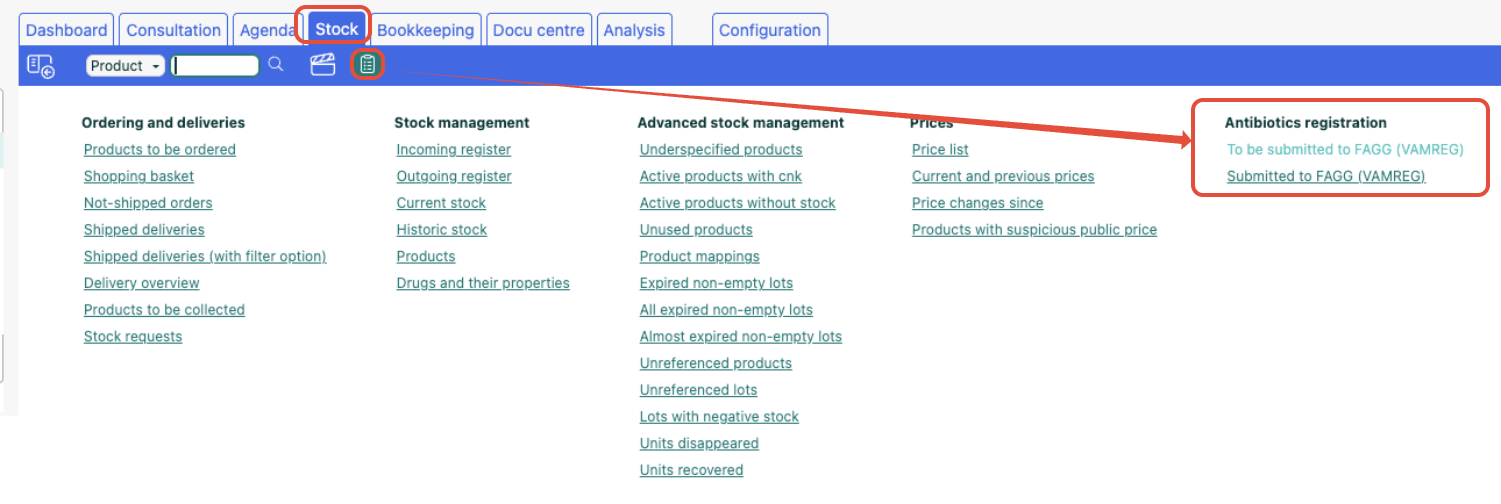
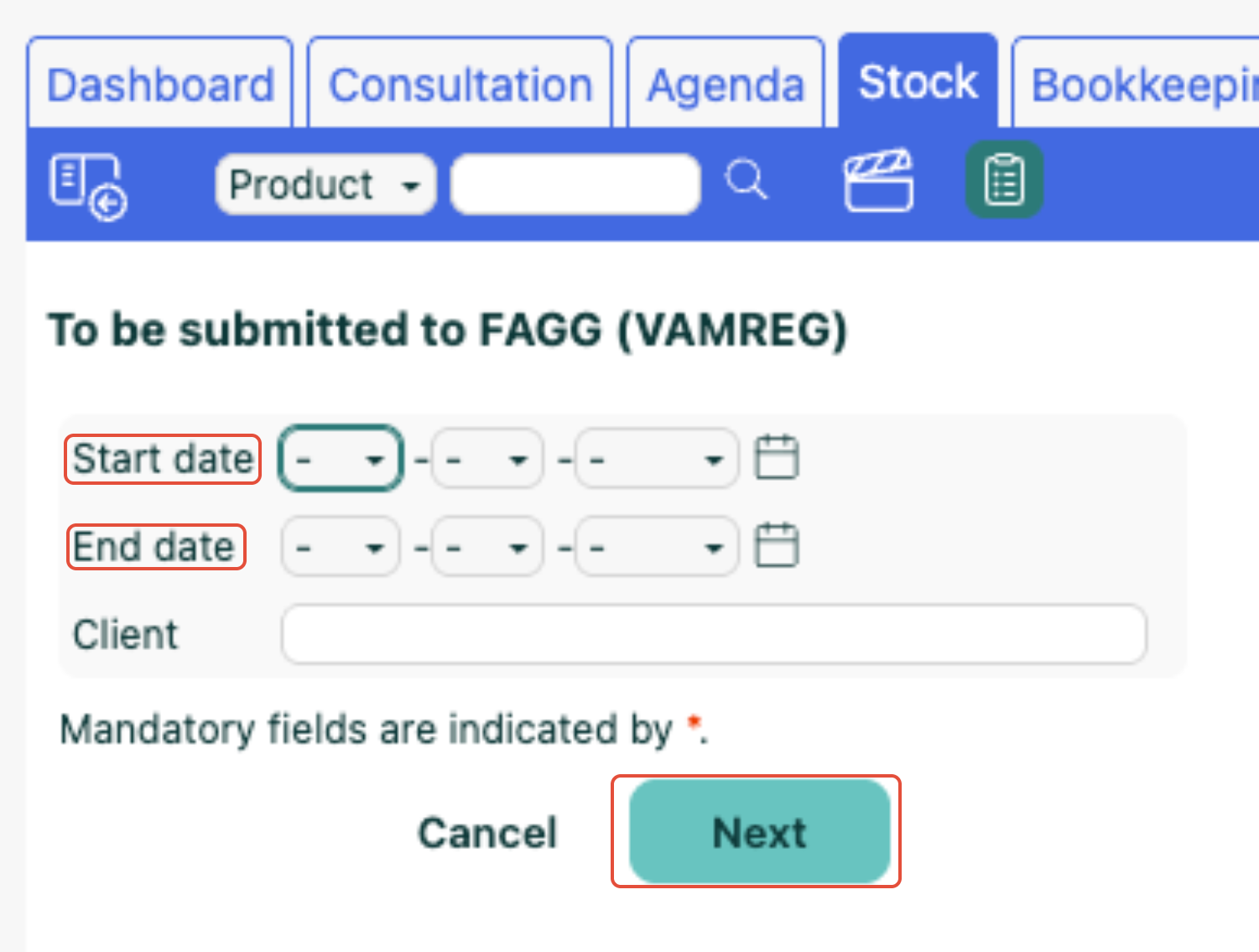
This report shows all records that have not yet been sent. To send:
- Click the Send button at the top of the list to send all records at once
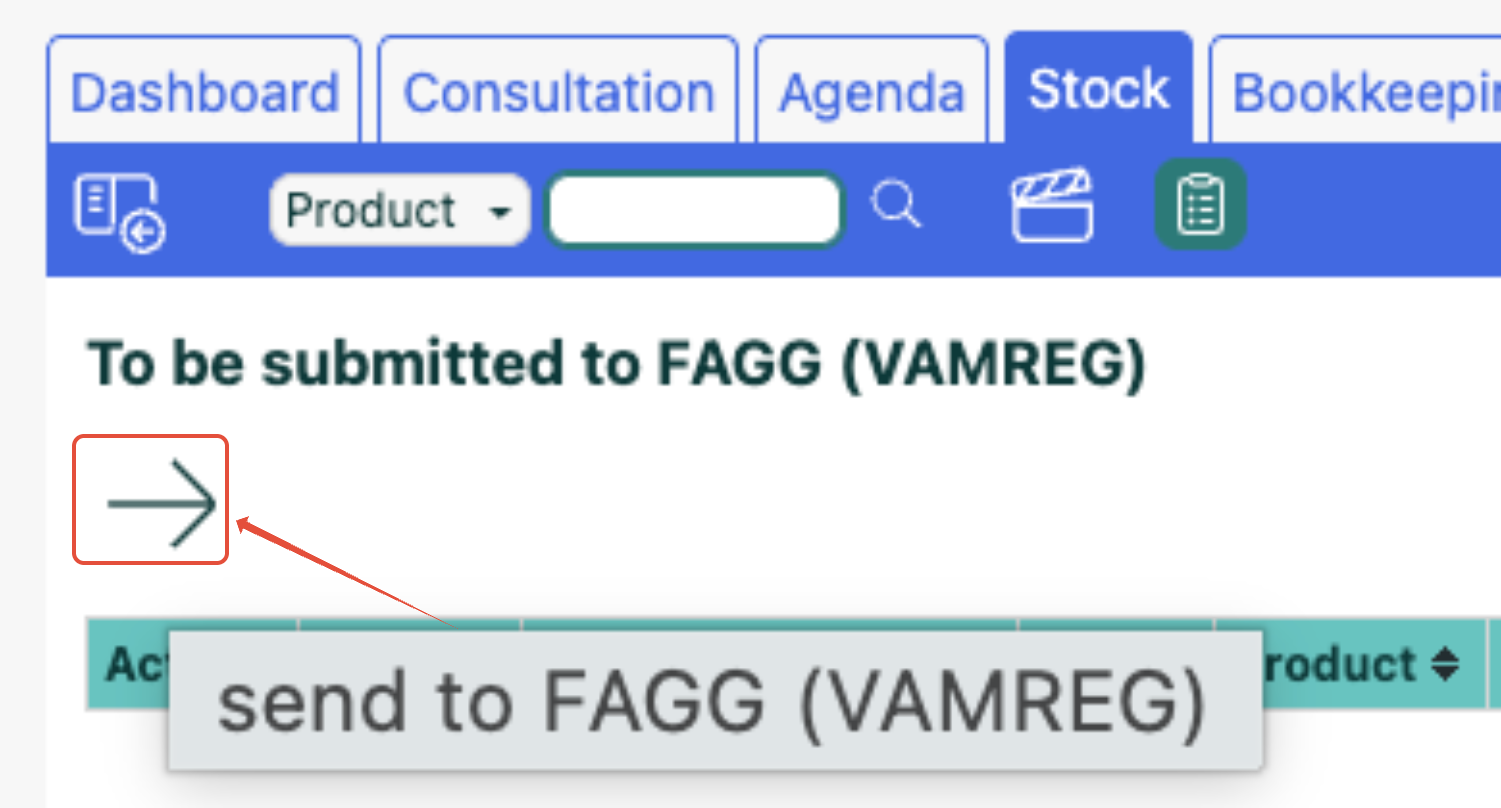
- Or use the button per line to send a single record
After a successful submission, the records disappear from the list.
If a record cannot be sent, the Feedback on this antibiotic registration column shows the reason. If one or more records in a batch contain an error, the entire batch is rejected first. Fuga then automatically retries sending the records without errors. The records with errors remain in the list.
Note
Belgian products are only accepted by VAMREG if they have a valid 7-digit CNK code. It is best to check in advance whether the CNK codes on your products have been entered correctly. To do this, use the report "Active products with CNK" and sort this list by the "Antibiotic" column. For those products where "Antibiotic" = yes, we strongly recommend checking the CNK codes.
When sending, Fuga checks whether the CNK code is correctly formed using the check digit. If it is not, we send the record with an empty CNK code:
- if there is no MA number or an invalid MA number on the product, VAMREG will reject this record and you will see the error message in the Feedback column
- if there is an existing MA number on the product, this record will be reported as a foreign product
If registrations from June appear in the list (e.g. because you enabled the VAMREG checkbox before 1 July 2026) and you do not want to send them, you can still delete them manually from the To be submitted list. Use the trash icon for this.
3.2 Send automatically
When you have ticked Automatically send registrations to FAGG (VAMREG) in Settings => Practice preferences => Belgium, Fuga sends all unsent records from checked-out consultations and sales every night.
The field Waiting time for dispatch (days after checkout) determines how many days Fuga waits after checkout before the records are sent. The default is 4 days — this gives you time to make corrections after checkout.
Fuga attempts automatic sending only once. If an error occurs, the record reappears in the To be submitted to FAGG (VAMREG) report so you can handle it manually.
Note
With automatic sending, all registrations are sent without exception. Therefore, it is best to only enable automatic sending after 1 July 2026 if you do not want June records to be sent to VAMREG.
4. Quantity calculation
For a Belgian product (with a CNK code), Fuga declares in ml or g when both of these conditions are met:
- the product's outgoing unit has a metric unit (g or ml), set in Settings => Practice details => Stock tab (see below)
- VAMREG expects the same unit (ml or g) for that product
In all other cases, and always for foreign products, Fuga declares as a percentage of packs (PACKS), based on the product's number of outgoing units.
Why ml or g? For some products, VAMREG uses a pack quantity that does not match what is on the pack. For example, the FAMHP counts 4.25 ml for "Convenia 80mg/ml pdr+solv sol inj 4ml", while Fuga has 4 ml as the number of outgoing units. Declaring in ml keeps the reported quantity correct.
Setting the metric unit
Go to Settings => Practice details => Stock tab. In the list of product units, you can link each unit to a number and a metric unit (g or ml), for example "kg" = 1000 g or "0.1ml" = 0.1 ml. For the common units (cc, 0.1 ml, kg, ml) this was filled in automatically. Units without a metric unit, such as "tablet" or "piece", are still declared in packs.
5. View submitted declarations
The Submitted to FAGG (VAMREG) report (found via Stock => Reports) shows all successfully submitted records. It contains the same columns as the To be submitted report, plus:
- VAMREG declaration ID — the unique ID returned by VAMREG after a successful declaration
- FAGG (VAMREG) submit time — the time at which the record was sent
6. Create missing registrations
In principle, a VAMREG registration is only created at the moment a customer interaction is locked. If not everything was correct at that time (VAMREG not yet activated, the depot or animal not yet correct, or the product not yet marked as an antibiotic or without a CNK/MA number), no registration was created.
Should this have been the case, you can create registrations yourself for already locked customer interactions once everything is set correctly. You generate the missing registrations via Stock => Antibiotic registration, using the action "Create missing FAGG (VAMREG) registrations". In the window, choose a start date under "Re-evaluate customer interactions from". Fuga then goes through all locked customer interactions from that date and only creates the missing registrations; existing registrations are left untouched, so you can safely run the action again. The created registrations then appear in the "To be submitted to FAGG (VAMREG)" list and are sent from there — automatically when automatic sending is enabled, or manually from that list.
Frequently asked questions
What if VAMREG is temporarily unavailable?
With automatic sending, Fuga attempts it only once. The records remain in the To be submitted to FAGG (VAMREG) report so you can send them manually later.
What about compounded preparations?
Compounded preparations (medication prepared by the pharmacist on prescription of the veterinarian) are not yet supported in the VAMREG integration. These must be entered manually on the VAMREG portal.
What about unknown foreign products?
It may happen that VAMREG does not yet recognise the MA number of a foreign product. These products must be entered manually on the VAMREG portal.