
What's changing?
We are updating the dialogs in Fuga to give them a more modern look and bring them in line with the standards of other web applications. You will notice two concrete changes in many dialogs throughout the application.
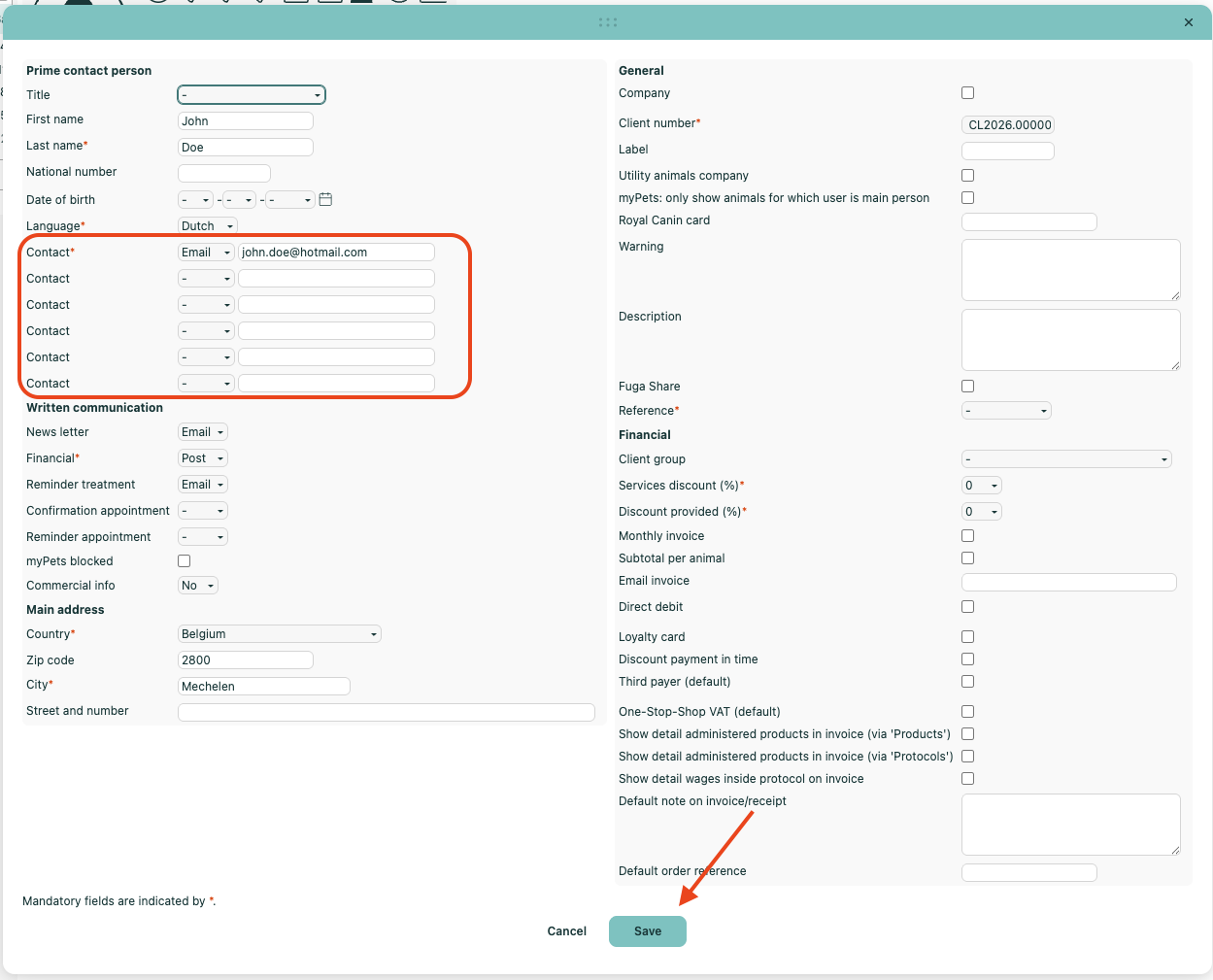
Cancel button on the left, save button on the right
In most web applications, the confirm button appears on the right and the cancel button on the left. Fuga now follows this same order: the Save button appears at the bottom right of the dialog, the Cancel button at the bottom left.
This order was already in place in the agenda. With this update, it is consistently applied across all dialogs in the application.
We understand this might require some getting used to, so we have made a clear visual distinction between the buttons to prevent mistakes. The Save button is coloured in green, the Cancel button is not. Instinctively you will be drawn to click the coloured button. Additionally we have also moved the contact fields on the client dialog to make the screen more balanced.
Dialogs open in a more logical position
Until now, some dialogs opened in a position where the Save button fell outside the visible screen area. You had to move the dialog first before you could save.
From now on, dialogs open in the centre of the screen, so you can immediately fill in and save data — without having to drag the dialog first.