
To update your CNK codes, please follow the steps below
Stock => Actions => (Show all Actions =>) Update CNK codes
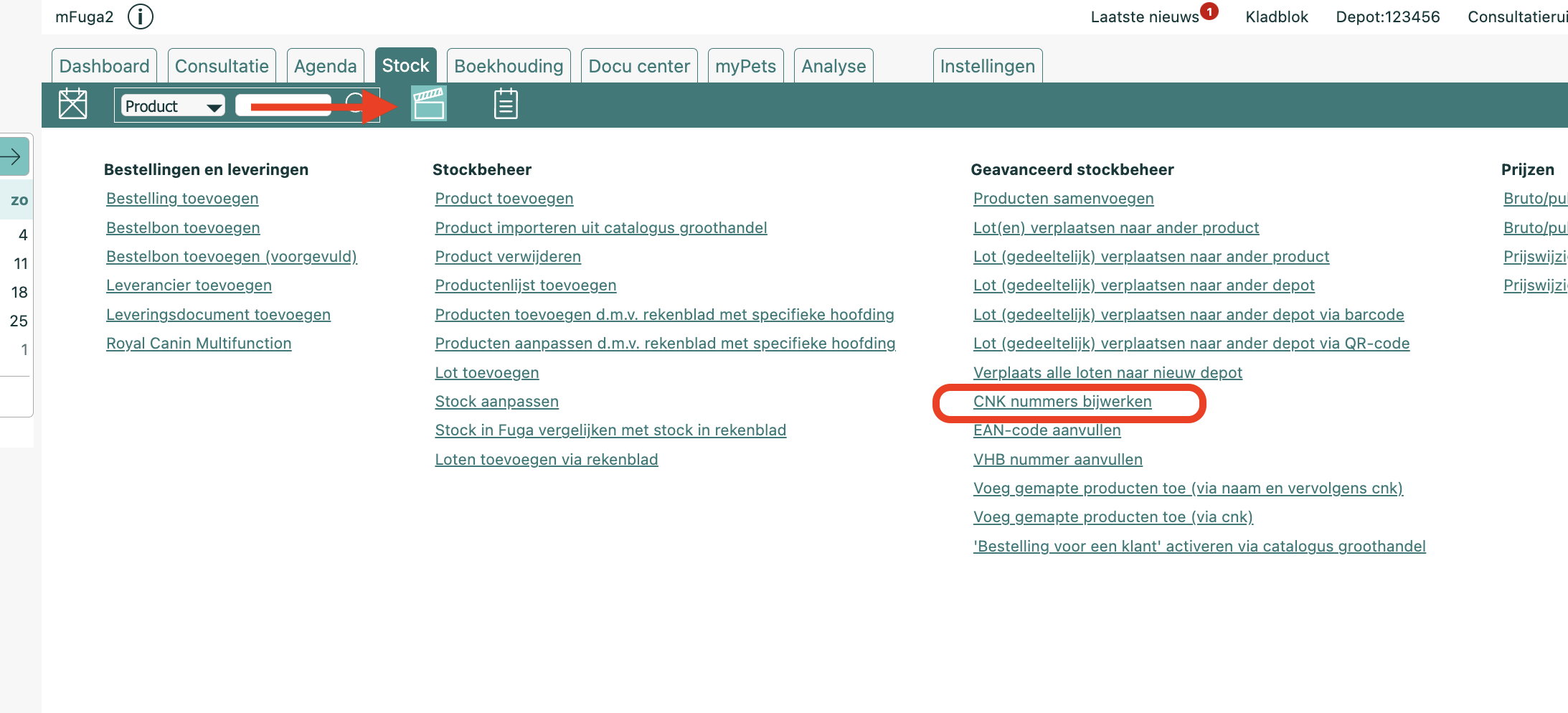
Attention! : This action is going to update the CNK codes of all products.
The CNK code is also used in barcodes.
Thus, by updating a CNK code at product level, an existing stock product may NOT be recognised MORE after this action by scanning the label with a barcode reader
By default, this action only overwrites CNK numbers and EAN codes. If you also want product names to be overwritten with the name from the supplier catalogue, enable the setting Overwrite product name and CNK via Settings => Practice preferences => Stock.