
Introduction
Fuga has an integration with Vetrinord for retrieving the shipped deliveries. This means you do not have to enter the information about the delivered quantity, the batch number and the expiry date in Fuga yourself.
Configuration
You first indicate in the practice preferences, stock page, that you wish to use Vetrinord as a supplier. You save this setting.
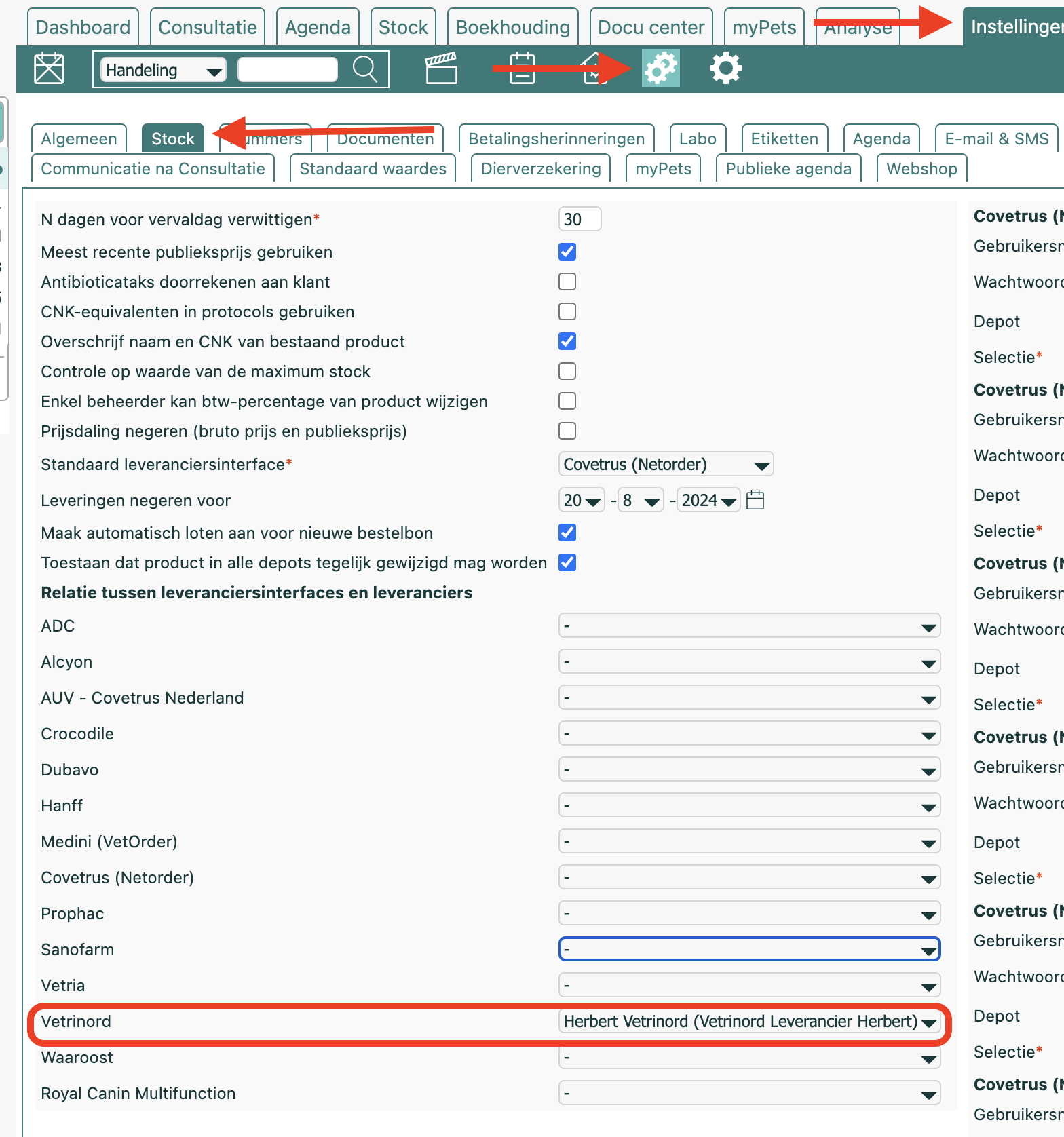
After that, on the same page, but in the right-hand column, you can indicate for which depots you wish to use the Vetrinord integration. You only need to indicate the depots that are relevant for the communication with Vetrinord. So if you use virtual depots internally, these do not need to be ticked.

For these depots you must pass the integration token of the depot to Vetrinord so that they can set up the link of deliveries to the correct depot. You find the integration token by pressing the eye icon of a depot address. If you create a new depot in Fuga (because you get a new depot number or change address), then you must pass this new integration token to Vetrinord.
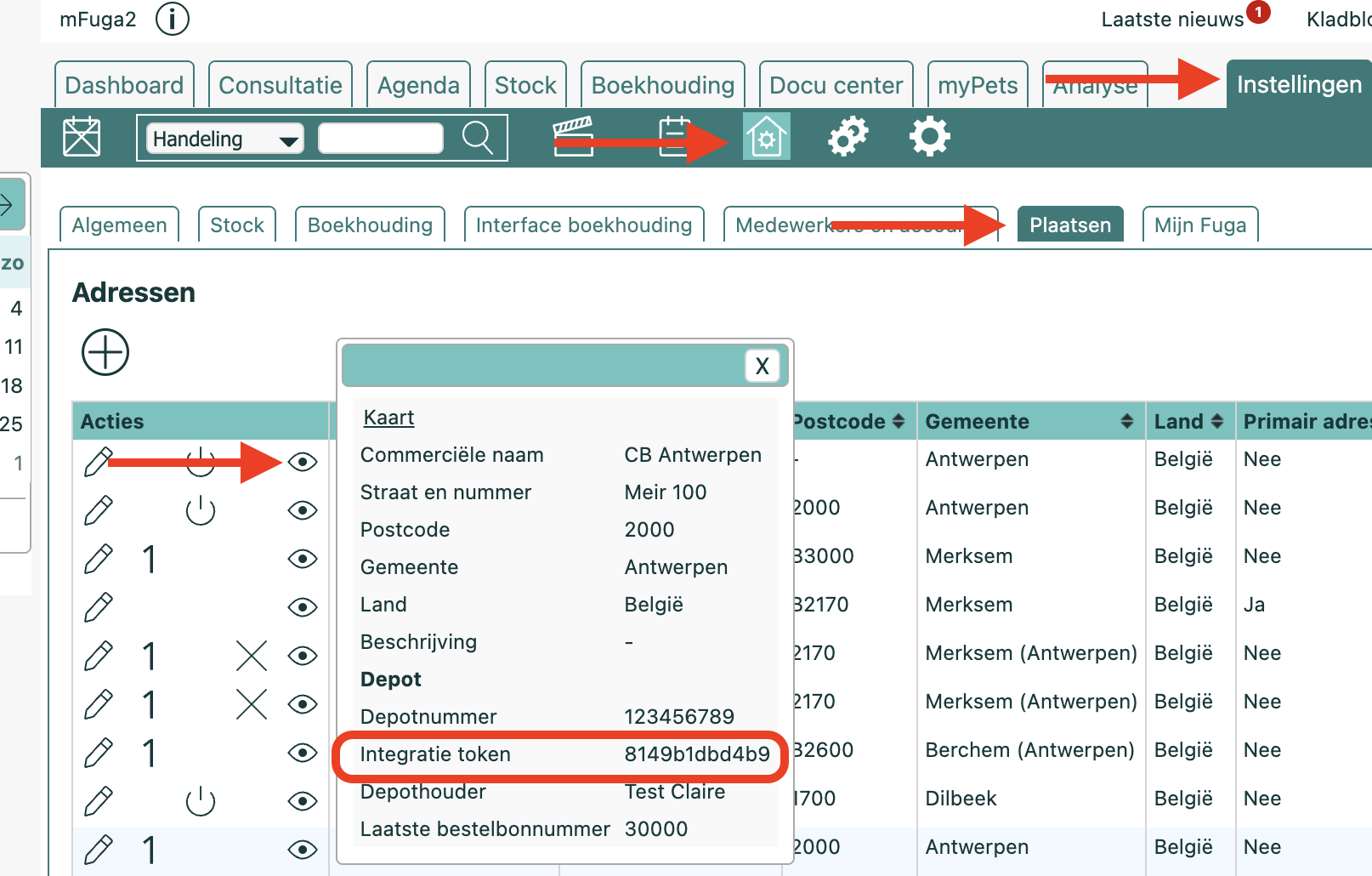
Once the integration token has been entered by Vetrinord in their system, shipped deliveries after this date will be retrieved by Fuga. Fuga retrieves deliveries that took place after the last delivered delivery that Fuga has received. At start-up, shipped deliveries up to 30 days in the past are looked at (deliveries already known are not processed in Fuga, but for that you must have entered the Delivery number on the batch already delivered, or you can delete the duplicates after the first retrieval).
Exchanged Information
Fuga reads in the following information for a Vetrinord delivery.
Batches
- Delivery number
- Order date
- Order number
- Number of Delivered Products
- Expiry date
- Delivery date
- Purchase price excluding VAT
Products
- Product name
- Product number
- VAT Percentage
If a batch with this delivery number and order number was already passed via the integration with Vetrinord, then this batch is considered received.
If a new batch is created, an active product within the depot with the same name is searched for. Secondly, an active product with the same mapped name is looked for. If no product is found in this way, a new product is created.